Admission Now
- Skill Level: Beginners
- Duration: 4 Months
- Class Per Week: 2 Day
- Total Class: 32
- Certificate: Yes
- Provide Class Video
- Language: Bangla & English
Opening Hours
- Saturday : Remote office.
- Sunday, Moday : Close
- Tuesday : 10.00 am - 6.00 pm
- Wednesday : 10.00 am - 6.00 pm
- Thursday : 10.00 am - 6.00 pm
- Friday : 08.00 am - 8.00 pm
Overview:
- SQL for data extraction & manipulation
- Python (pandas, numpy) for data cleaning & analysis
- Data visualization with Power BI / Tableau
- Statistical methods for insights & decision-making
- End-to-end analytics workflow (collect → clean → analyze → visualize)
- Fresh graduates & entry-level professionals
- Business analysts, marketing, and operations teams
- IT professionals transitioning to data roles
- Managers seeking data-driven decision-making skills
- Career changers entering the high-demand data field
- High demand – Data analyst roles growing 25%+ annually
- Job-ready skills – Build portfolio with real-world projects
- Tool-focused – Master SQL, Python, Power BI/Tableau
- No degree required – Practical, hands-on learning
- Career growth – Path to BI analyst, data scientist, or analytics manager
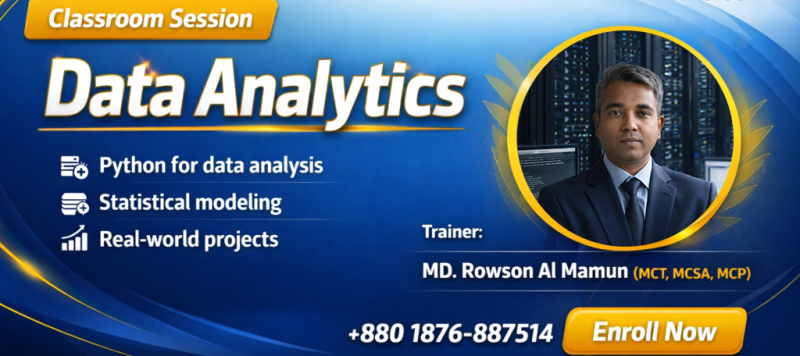
Trainer: MD. Rowson Al Mamun (MCT, MCSA, MCP)
Duration: 3 Months (Approx. 30 Classes)
Module 1: Foundations of Data Analytics
Data analytics lifecycle and workflow
Types of data (structured, semi-structured, unstructured)
Descriptive, diagnostic, predictive, prescriptive analytics
Data ethics and privacy basics
Module 2: SQL for Data Analysis
SELECT statements, filtering, sorting
Joins (INNER, LEFT, RIGHT, FULL)
Aggregations (GROUP BY, HAVING)
Subqueries and Common Table Expressions (CTEs)
Window functions (ROW_NUMBER, RANK, LAG/LEAD)
Module 3: Python for Data Analysis
NumPy – Numerical operations and arrays
Pandas – Data manipulation (DataFrames, merging, grouping)
Data Cleaning – Handling missing values, duplicates, outliers
Exploratory Data Analysis (EDA) – Summary statistics and correlations
Module 4: Data Visualization
Matplotlib – Customizing plots (line, bar, scatter, histogram)
Seaborn – Statistical visualizations (heatmaps, pairplots)
Interactive Dashboards – Power BI or Tableau
Storytelling with data – Best practices
Module 5: Statistics for Analytics
Descriptive statistics (mean, median, mode, standard deviation)
Probability distributions (normal, binomial)
Hypothesis testing (t-test, chi-square)
Correlation vs. causation
Regression analysis basics
Module 6: Advanced Topics (Optional)
Introduction to Excel for data analytics (PivotTables, Power Query)
Time series analysis and forecasting
Introduction to Big Data (Hadoop, Spark basics)
Introduction to Machine Learning (scikit-learn)
Module 7: Capstone Project
Real-world dataset analysis (e.g., sales, customer, finance)
End-to-end workflow: SQL extraction → Python analysis → Dashboard creation
Presentation of insights to stakeholders